Small tools
Two small browser tools for student chores: lecture slides into note-taking tables, and citations into filenames a Mac accepts.
- Year
- 2025
- Client
- Own project
- Role
- Design, Development
- Made with
- Next.js, TypeScript, PDF.js, JavaScript
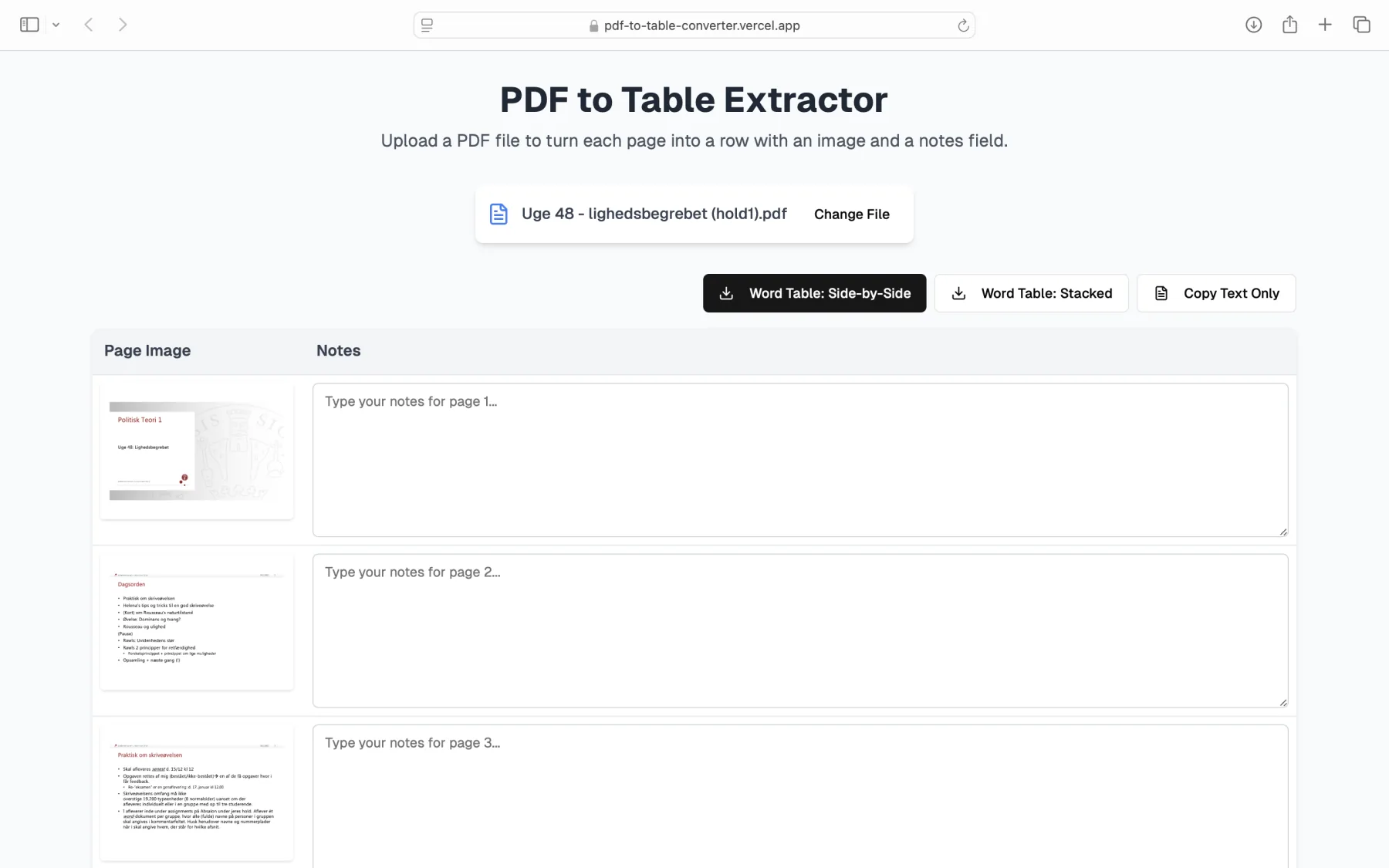
Two tools for chores I kept seeing students do by hand. Both run entirely in the browser, so nothing is uploaded.
PDF to Table Converter
Students screenshot their lecture slides and paste them one by one into tables, so they can take notes beside each slide. This does it in seconds: drop in the slides as a PDF and download a Word document with each slide in a table next to a column for notes. The table pastes straight into OneNote.
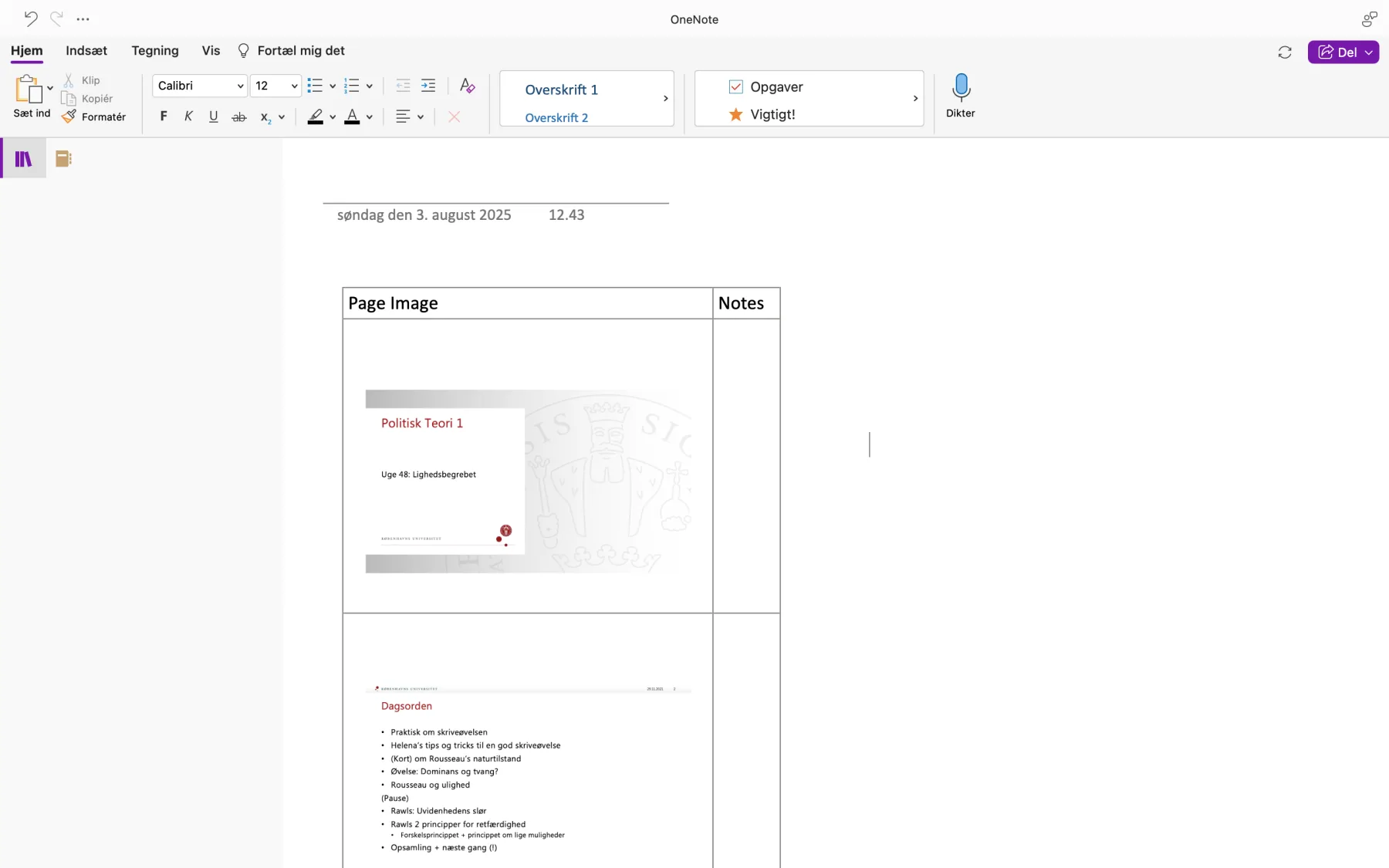
pdf-to-table-converter.vercel.app
Mac-Safe Citation Filename
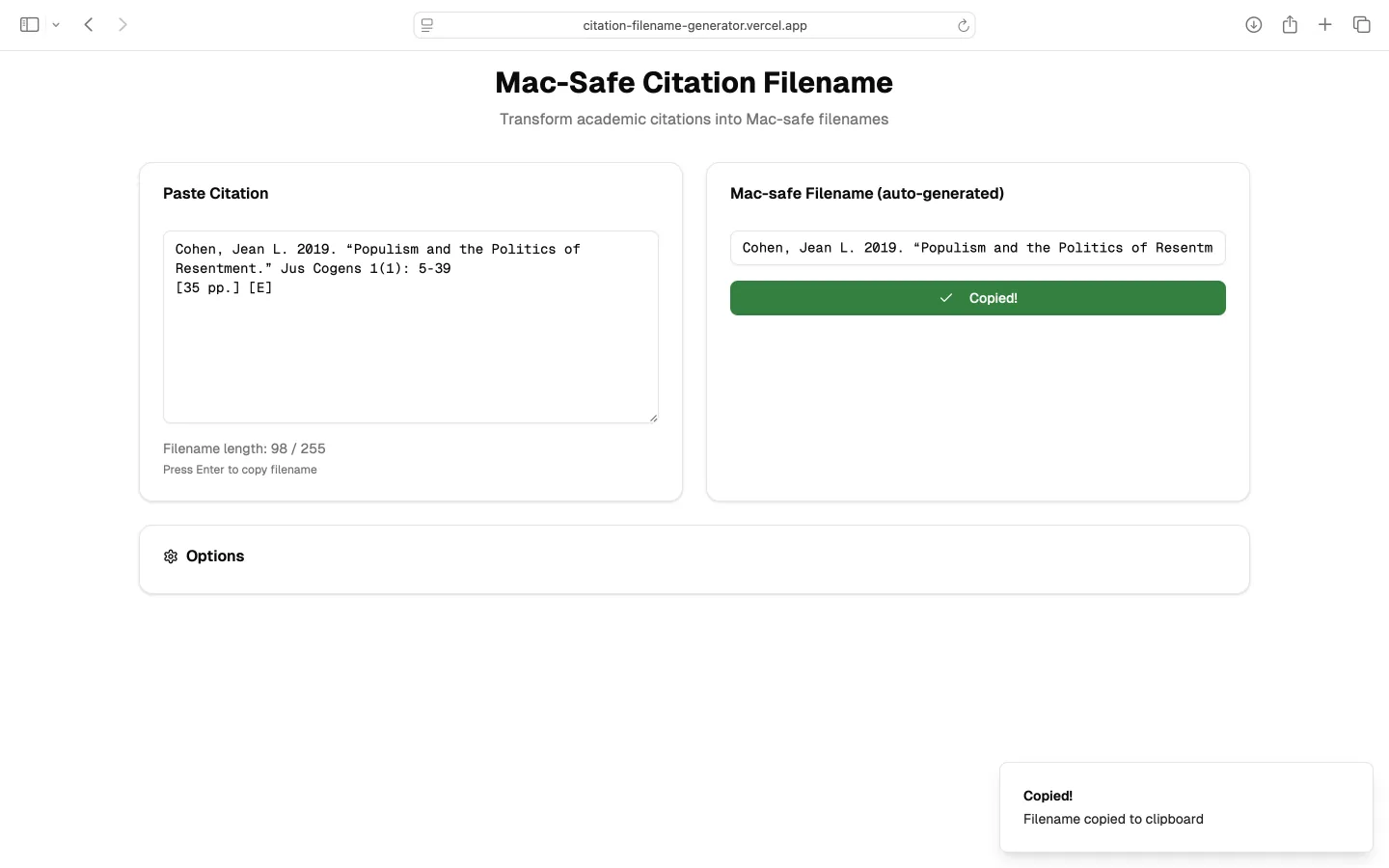
Saving a paper under its full citation fails on a Mac: slashes, colons and DOIs are rejected, and long names get cut at 255 characters. Paste a citation and you get a clean filename back, with a live length count, your choice of separator and case, and an extension like .pdf. It remembers your settings between visits.
Next project, or press →